
Help centreAutomation
Run a Python script on the model
The Python console runs a script against your model through the same actions as the API — loops, arithmetic and tables of sizes that would take hundreds of clicks. A whole script is one edit and one undo step.
-
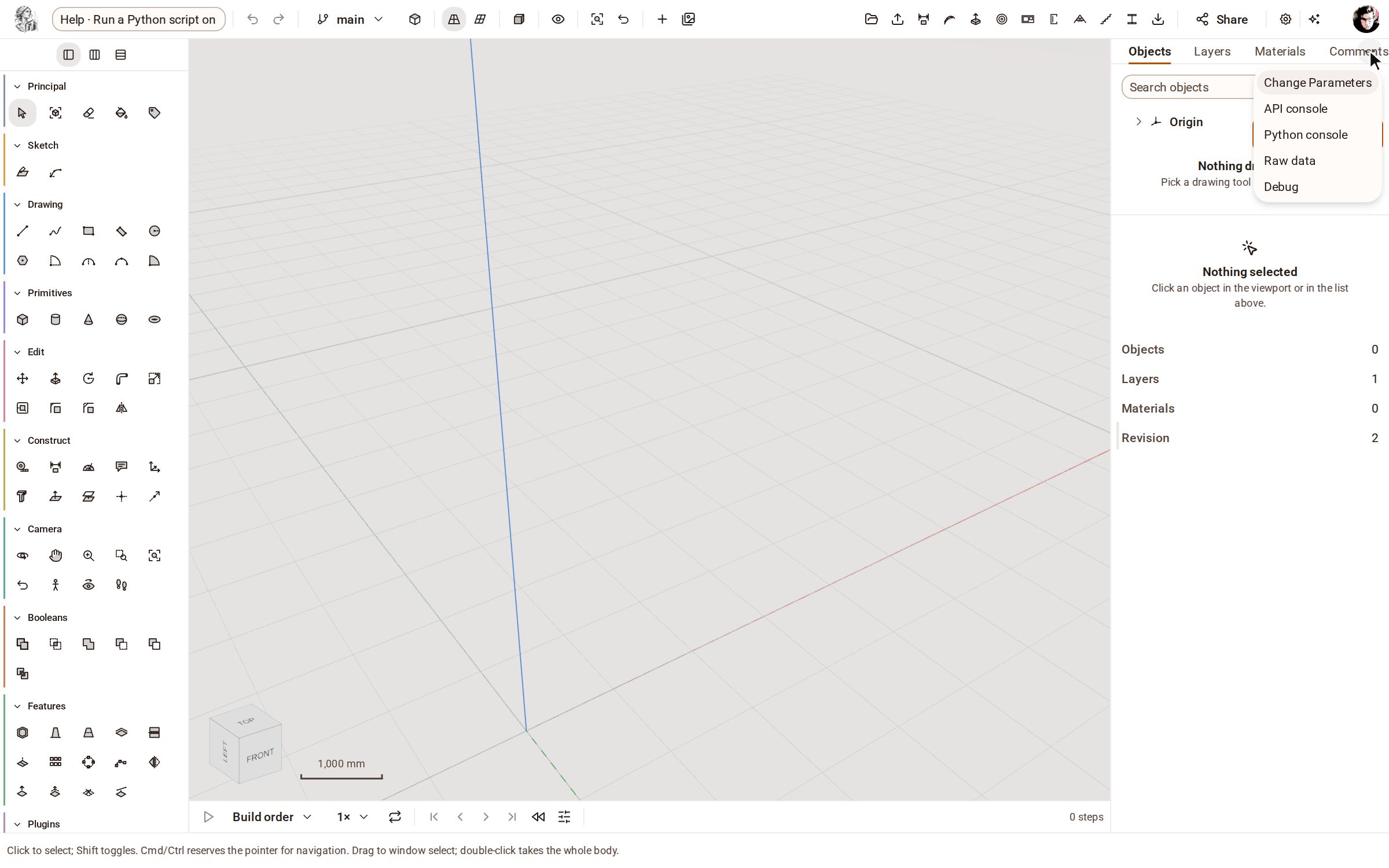
Open the inspector's menu with Inspector options (⋯) and choose Python console.
-
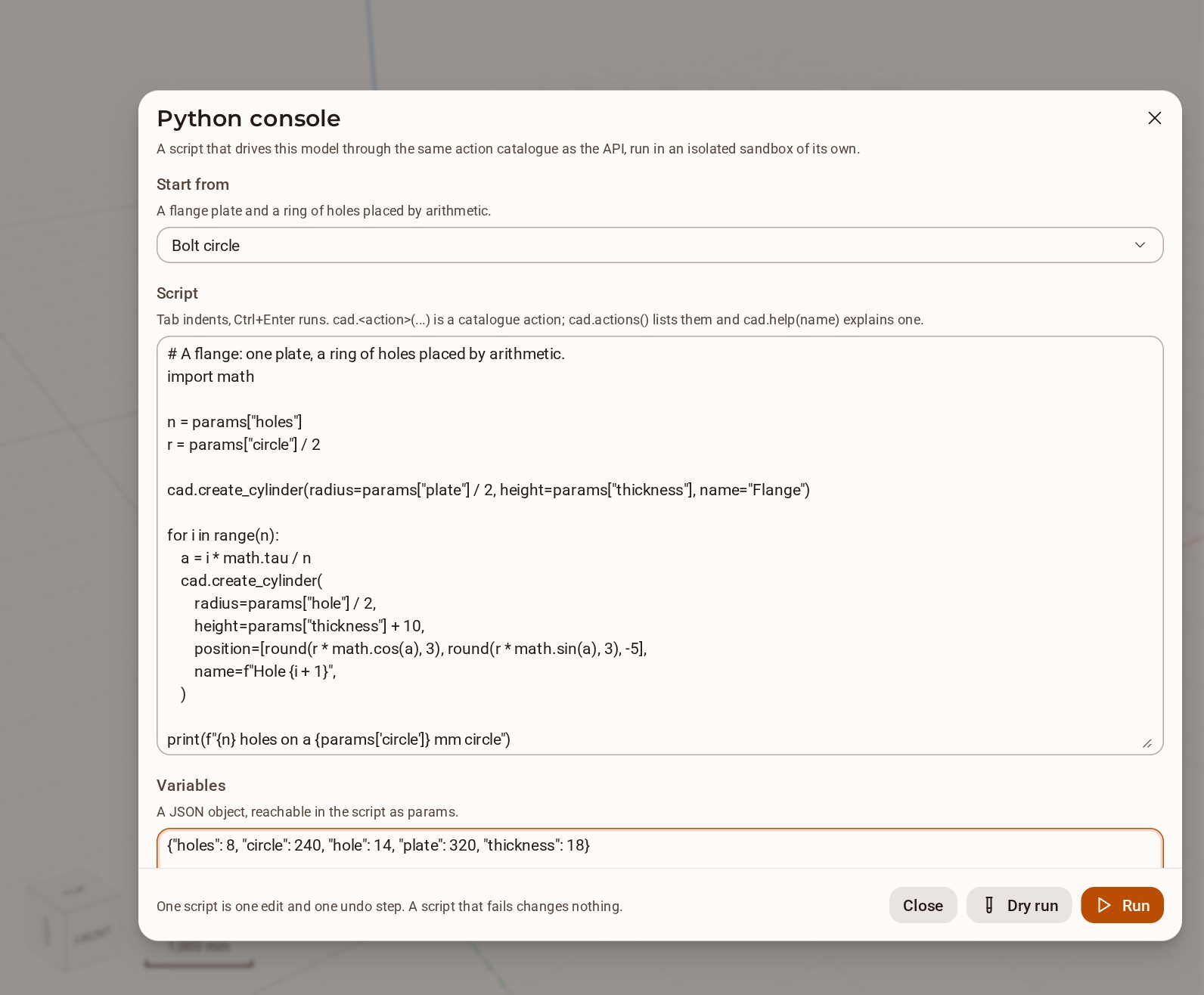
The console opens on a worked example, Bolt circle, chosen under Start from. Its Variables reach the script as params: set holes to 8.
-
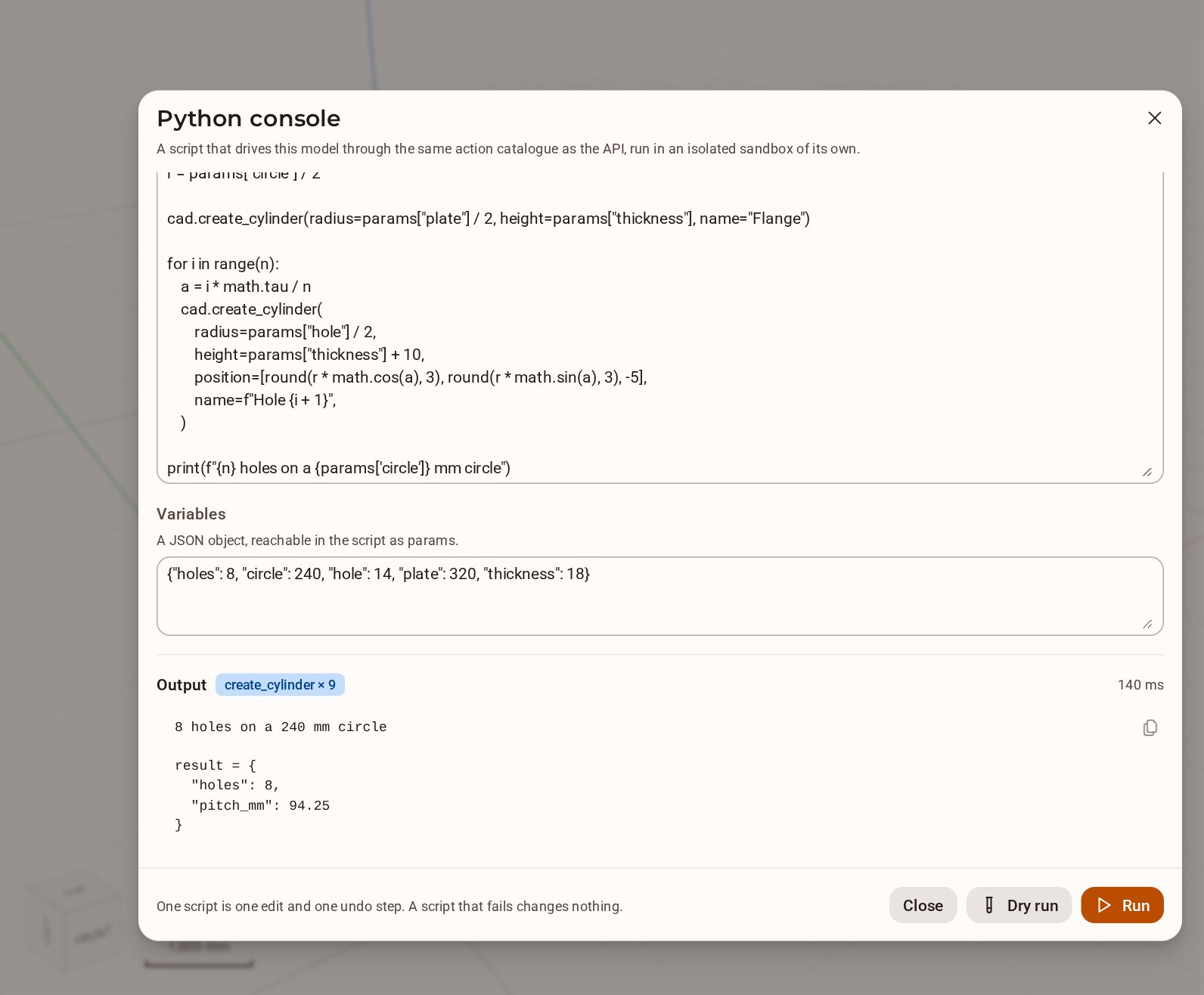
Click Run. Under Output you see what the script printed, a count of the actions it applied and the value it left in result.
-
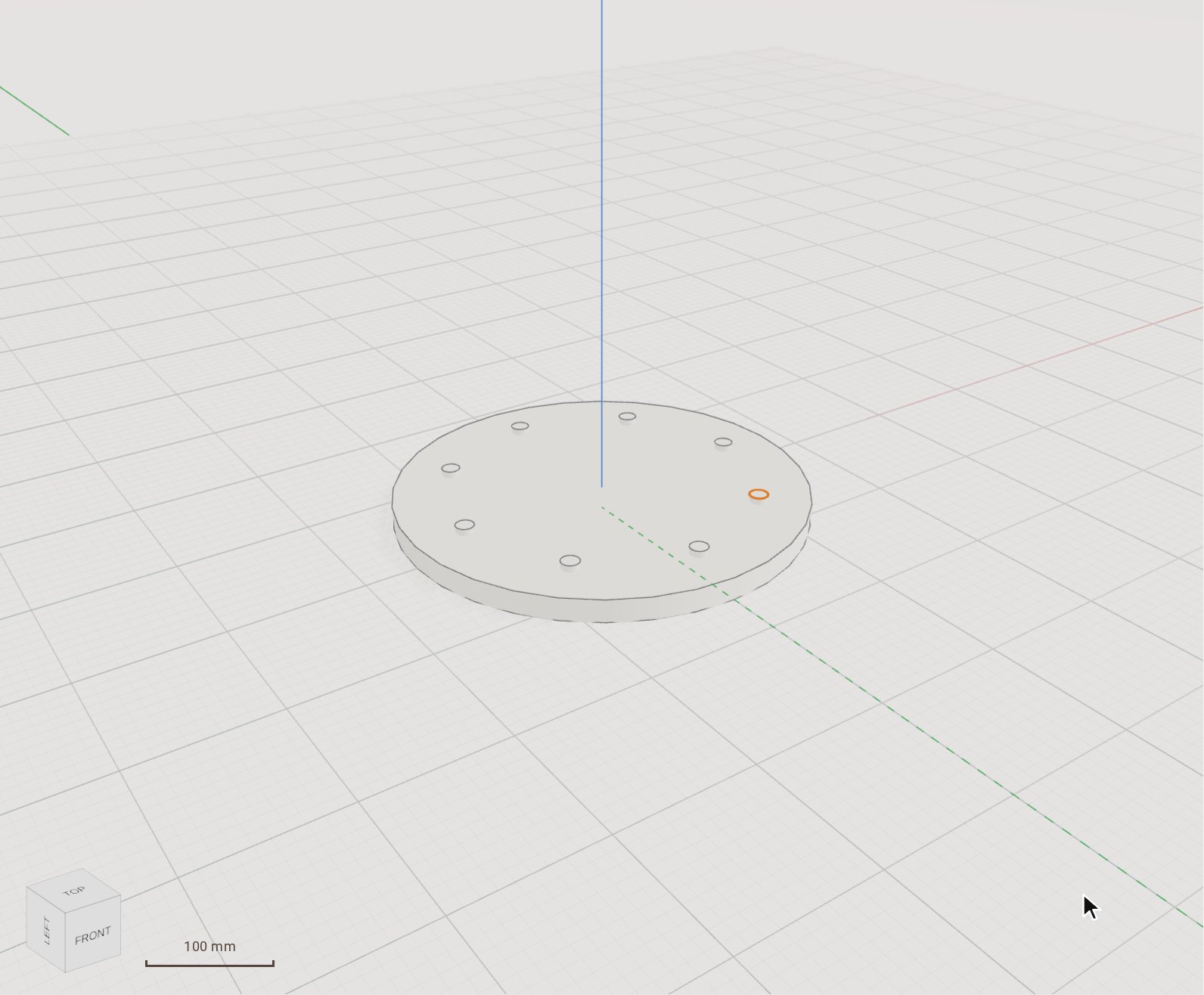
Close the console. The flange and its eight hole cylinders are in the model, made as a single edit — subtract the cylinders from the flange to cut the holes.
Good to know
- Dry run runs the whole script and keeps nothing, so you can read its output first.
- A script that fails changes nothing; one that succeeds is undone in one step with Undo.
- In the Script box, Tab indents and Ctrl+Enter runs. cad.actions() lists every action a script may call, and cad.help(name) explains one.
- Start from also offers Lattice, Measure the model, Part family and What can I call?.
Recorded in Kozorosa by the help recorder, which checked that the result is in the model.