
01 — Model
Direct and parametric
SketchUp's tools and inference for speed; constrained sketches, solid features and a timeline you can roll back for precision.
ModelingProduct
ModelingAssemblies & motionDrawingsSimulationCAMMaterials & renderingAI agentsDevelopersModules
TimberTimber frameCLTStructural steelLight-gauge steelStairsRoofingUse cases
Mechanical designMakers & 3D printingWoodworking & furnitureArchitecture & housingKozorosa
HelpPricingDownloadFoundryPush a face like a sketch, constrain it like an engineer, then send out the drawing, the stress study, the G-code or the joinery file. One studio on an exact B-rep kernel — with an AI agent that can use every tool you can.
Kozorosa for Mac from €13 a month or €229.99 for good. Self-hosted for teams with Foundry.
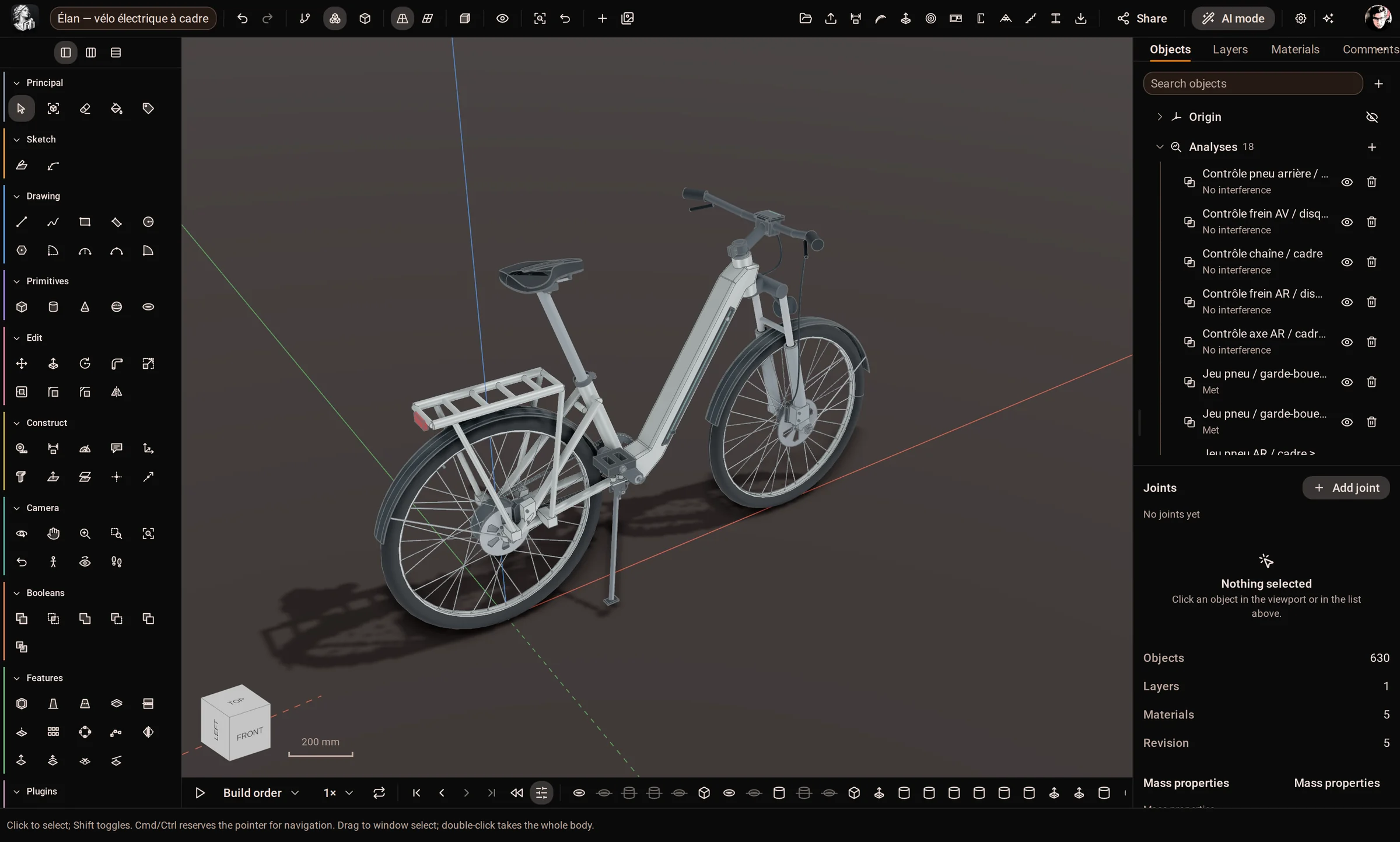
Modeling actions in one catalogue — the same ones for the interface, the API, Python and the agent.
Tools on the rail, from Line and Push/Pull to Loft, Shell and Draft.
File formats in and out: STEP, IGES, BREP, STL, 3MF, glTF, IFC, DXF and more.
Construction modules: timber, timber frame, CLT, steel, light-gauge steel, stairs, roofing.
The studio
Most tools make you choose: a sketcher that cannot hold a tolerance, or a parametric modeler where nothing moves until everything is declared. Kozorosa is both, on one timeline — and it keeps going after the model is done.
01 — Model
SketchUp's tools and inference for speed; constrained sketches, solid features and a timeline you can roll back for precision.
Modeling02 — Assemble
Components, seven joint types, gears, belts, cams and motors — and motion studies that chart, trace and catch clashes.
Assemblies & motion03 — Document
ISO and ANSI sheets with projected, section and detail views. Dimensions follow their edges when the model changes.
Drawings04 — Prove
Linear static and modal analysis meshed from the exact geometry, with the limits of the method written down.
Simulation05 — Make
Facing, pockets, adaptive clearing, drilling and 3D parallel, simulated by material removal and posted for GRBL, LinuxCNC or Fanuc.
CAM06 — Show
Textures at real scale, saved scenes, styles, section planes and an AI concept render for the client meeting.
Materials & renderingBuilt in Kozorosa
Every picture here is the application with a real model open — the same file you could open, measure, section and export. Helicopters, robots, engines and houses: the same modeler for all of them.

Rotor head, swashplate, tail rotor and gimbal in eight components — 561 features, 7075-T6, titanium and carbon, and a stress study of the swashplate flange.
Mechanical design
Six thrusters, a pressure housing with its acrylic dome, syntactic-foam buoyancy and lead ballast — 185 bodies, each with its real material.
Mechanical design
Hub motors, trailing arms and coil-overs on six wheel stations, a LiDAR and a pan-tilt mast — 177 bodies in six components.
Mechanical design
Five cylinders, master and link rods and ten valves on 89 joints, driven through 720° by a motion study.
Assemblies & motion
1,432 timber members and 427 panels laid out by the Timber module — every stud, plate and board on the cutting list.
Architecture & housing
Twenty drawers, a carcass and a base as components — with clearance checks on every drawer.
Woodworking & furnitureMotion studies
The radial engine's crankshaft is driven through two full turns, one degree at a time. Pistons, master and link rods, cams, pushrods and all ten valves follow their joints, and clash detection runs alongside.
AI agents
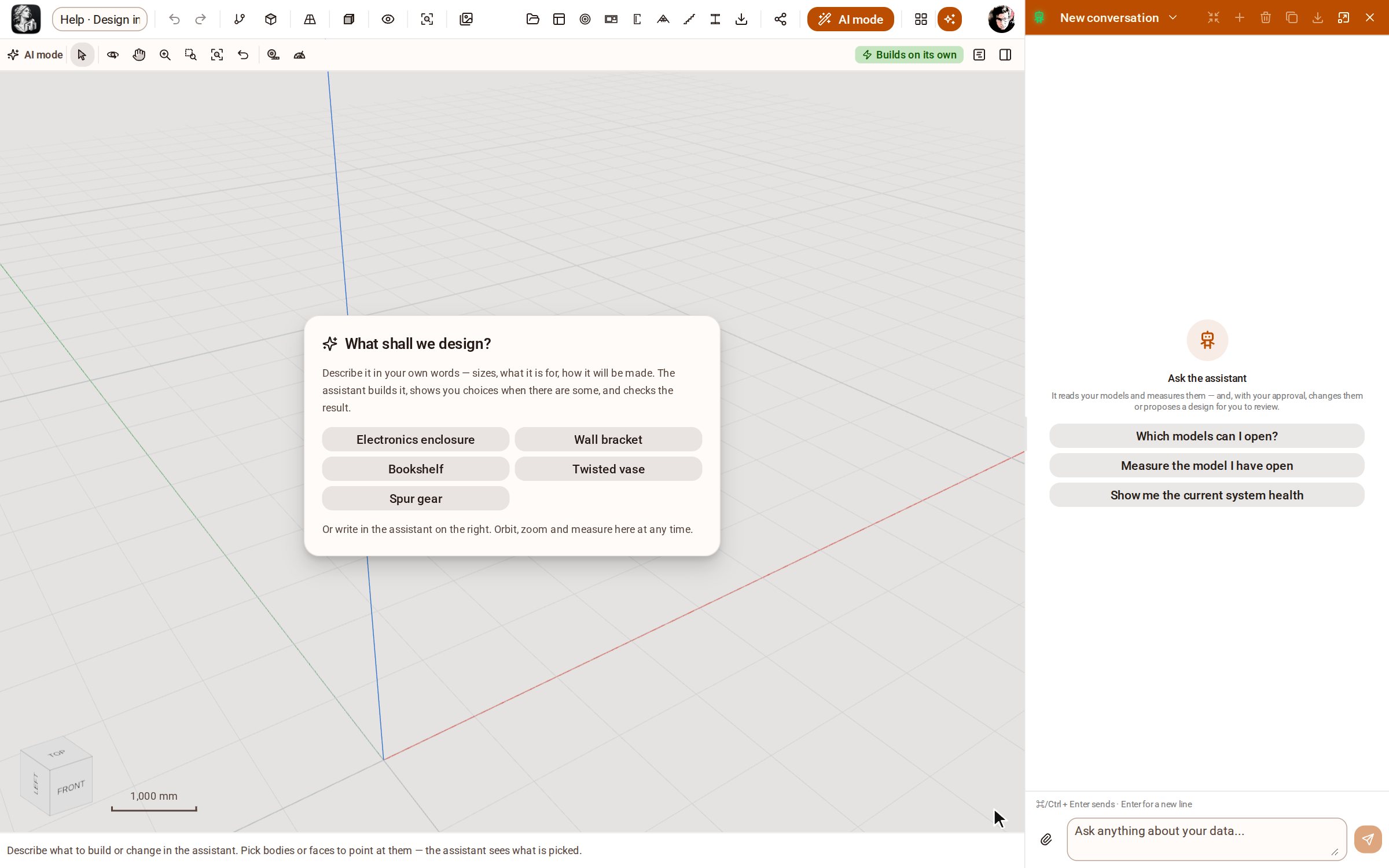
Every operation in Kozorosa is an action in one catalogue — the interface calls it, and so can an agent. The built-in assistant models with you; Claude Code, Cursor, Codex and other agents connect over MCP in one click.
Construction modules
Optional modules that know a trade's catalogues, rules and machines: real sections and grades, joints and connections, code checks, and the files the workshop's machines read.
2,320 sections from 20 markets, 25 joint types, EN 1995 pre-sizing, BTLx for joinery machines.
TimberEN, BS and AISC sections, connections in one edit, bolt and weld lists, DSTV NC1.
Structural steelRoll-formed walls, trusses and joists with every dimple and notch, out to Howick.
Light-gauge steelPanels nested on master sheets, prefabricated walls, code-checked stairs and roof coverings.
All seven modulesTwo ways to run it
Kozorosa for Mac is the whole studio on your own machine — the kernel, the database and the server inside the app, your files on your disk. Teams that want the web version run Foundry on their own infrastructure.
Apple silicon. Windows and Linux are on the way. Every tool of the studio, offline, with your models on your disk.
The web version on your own servers: accounts, organisations, sharing, live collaboration, the API and design CI — behind your proxy.
Help centre
Short articles with a picture at each step, taken in the application by our help recorder — which also checks that each one still works on the current version.
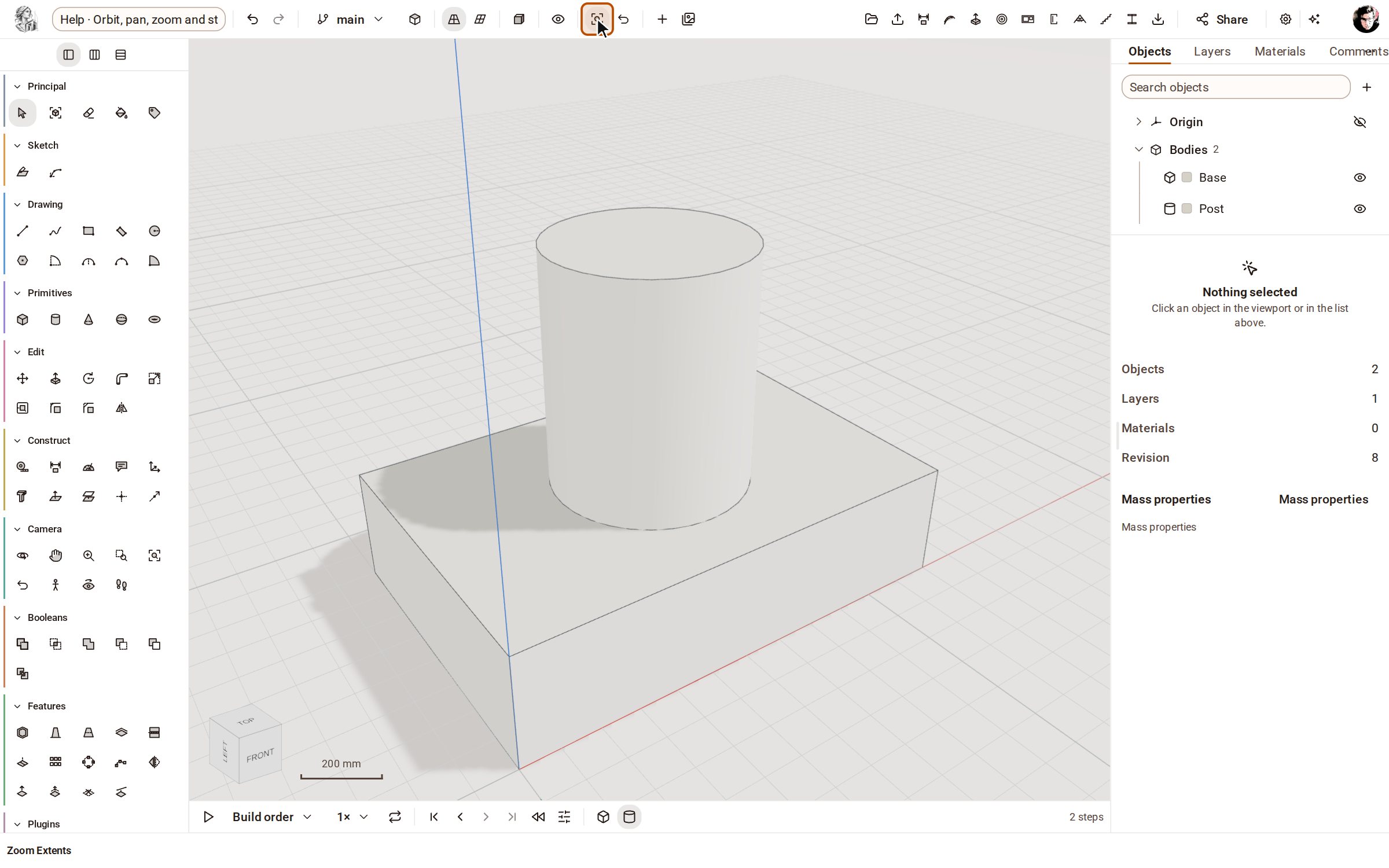 Orbit, pan, zoom and standard viewsTurn, slide and zoom the camera around your model with the Camera tools, and jump to a standard view (Top, Front, Iso…) from the bar above the view.
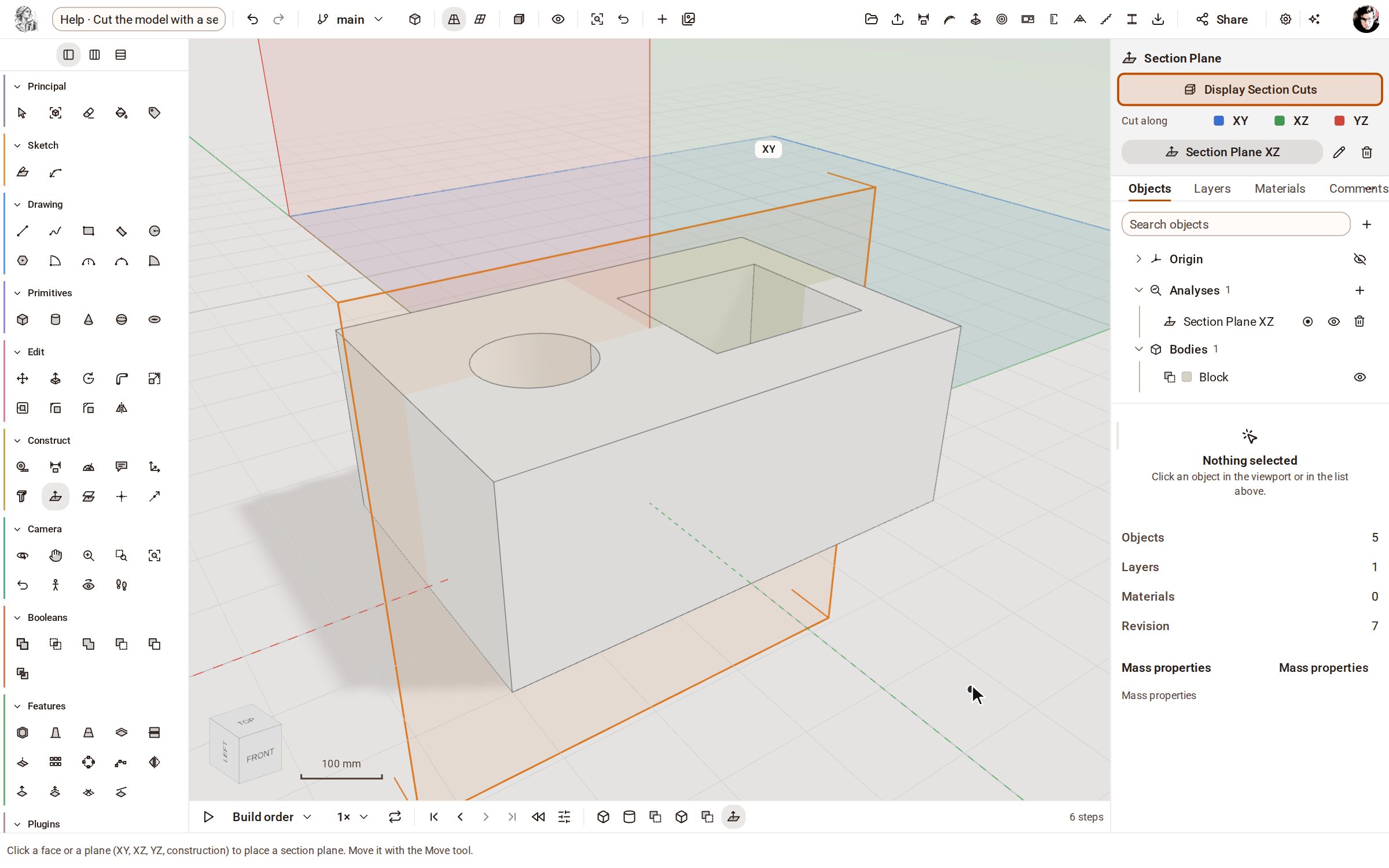 Cut the model with a section planeA section plane slices the view of your model so you can see inside it — holes, pockets and wall thicknesses — without changing the geometry.
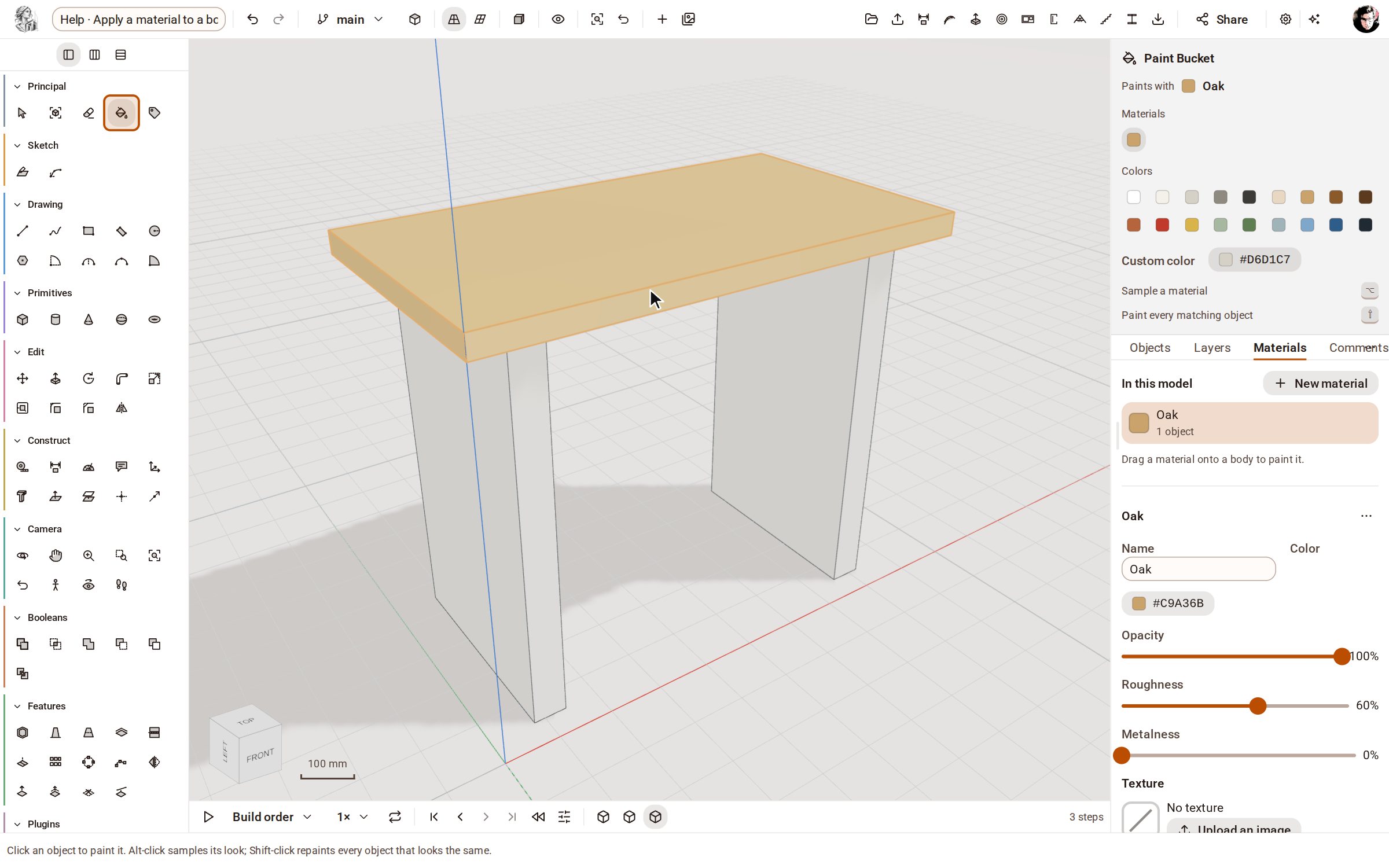 Apply a material to a bodyMaterials give bodies their colour and finish — oak, steel, glass, brick and more. Add one from the library in the Materials panel, then paint it onto a body.
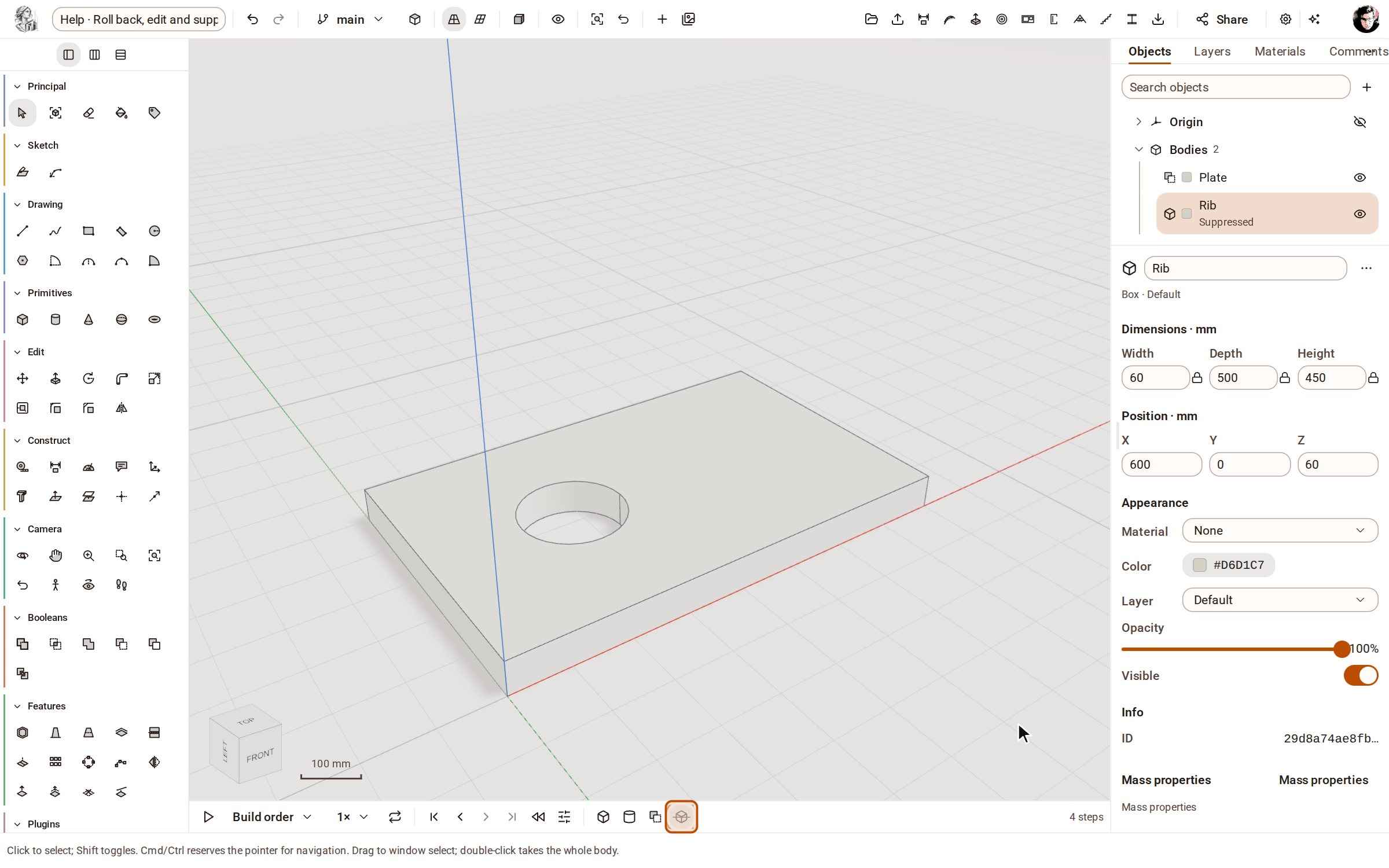 Roll back, edit and suppress steps on the timelineThe timeline under the view lists every step that built your model, in order. Click a step to see the model as it was then, change a step's numbers and everything after it rebuilds, or suppress a step to try the model without it.
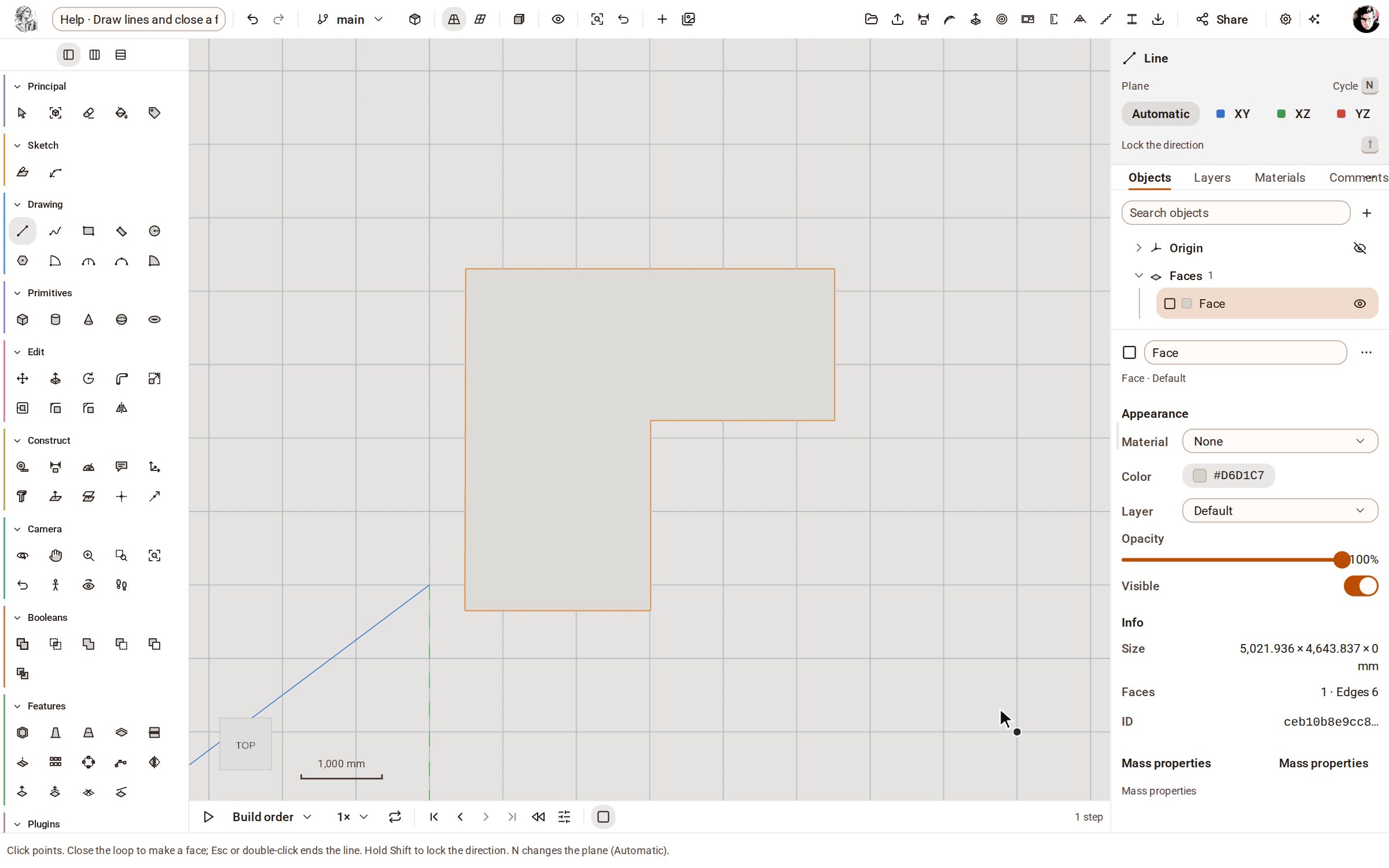 Draw lines and close a faceLine draws straight edges point by point on the ground or on a face. Bring the last point back to the first and the closed loop becomes a face you can push into a solid.
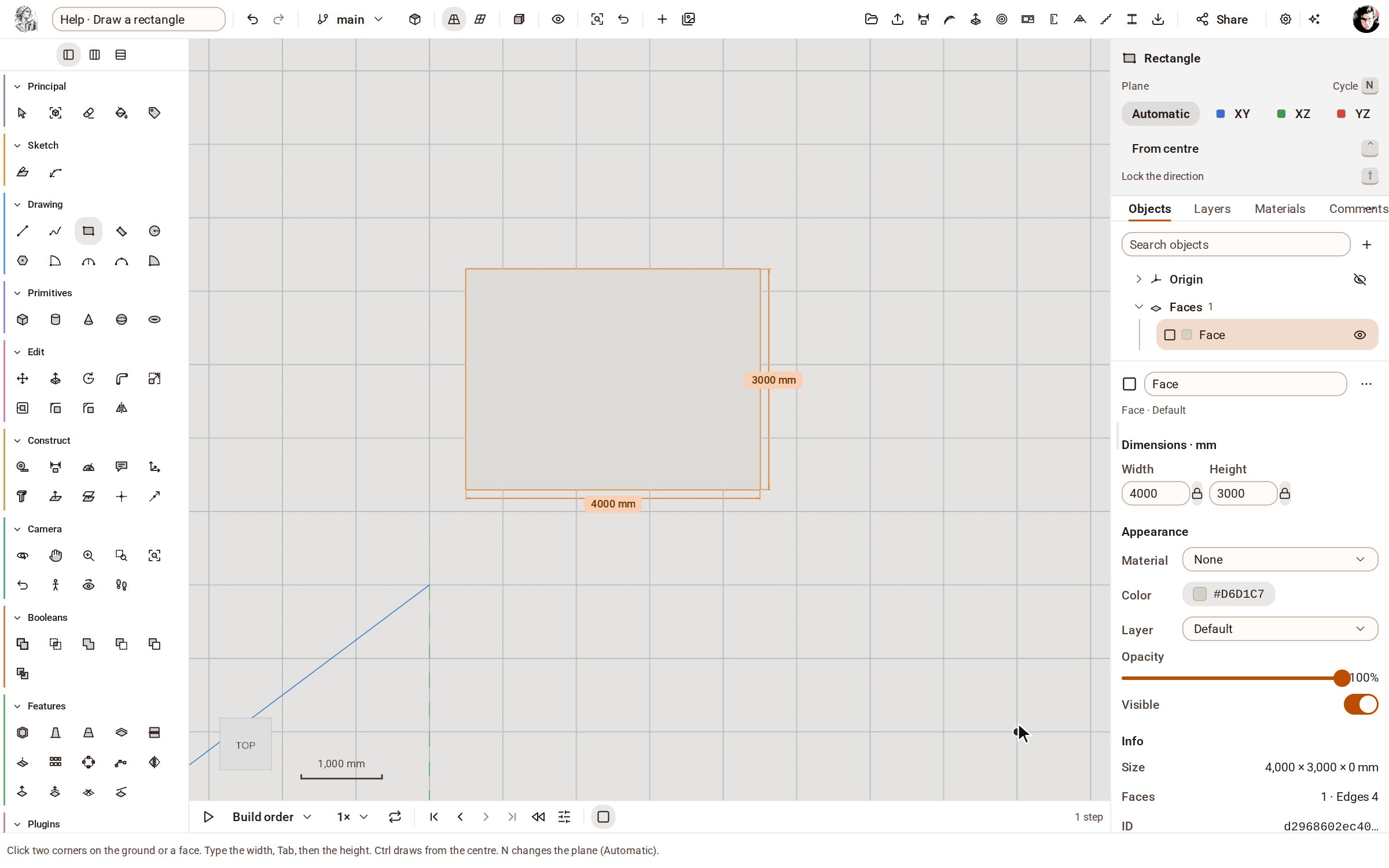 Draw a rectangleRectangle draws a four-sided face from two opposite corners, on the ground or on any flat face. Type the width and height to make it an exact size.
Import a STEP file, push a face, put a dimension on it. 5 days, every tool, nothing to pay until you decide.