
Help centreAutomation
Connect an AI agent (Claude Code, Cursor…) over MCP
Kozorosa has an MCP server, so a coding agent such as Claude Code, Codex or Cursor can list and run the studio's actions and read your models. The Connect an AI agent dialog gives you a token and the exact snippet to paste for each agent.
-
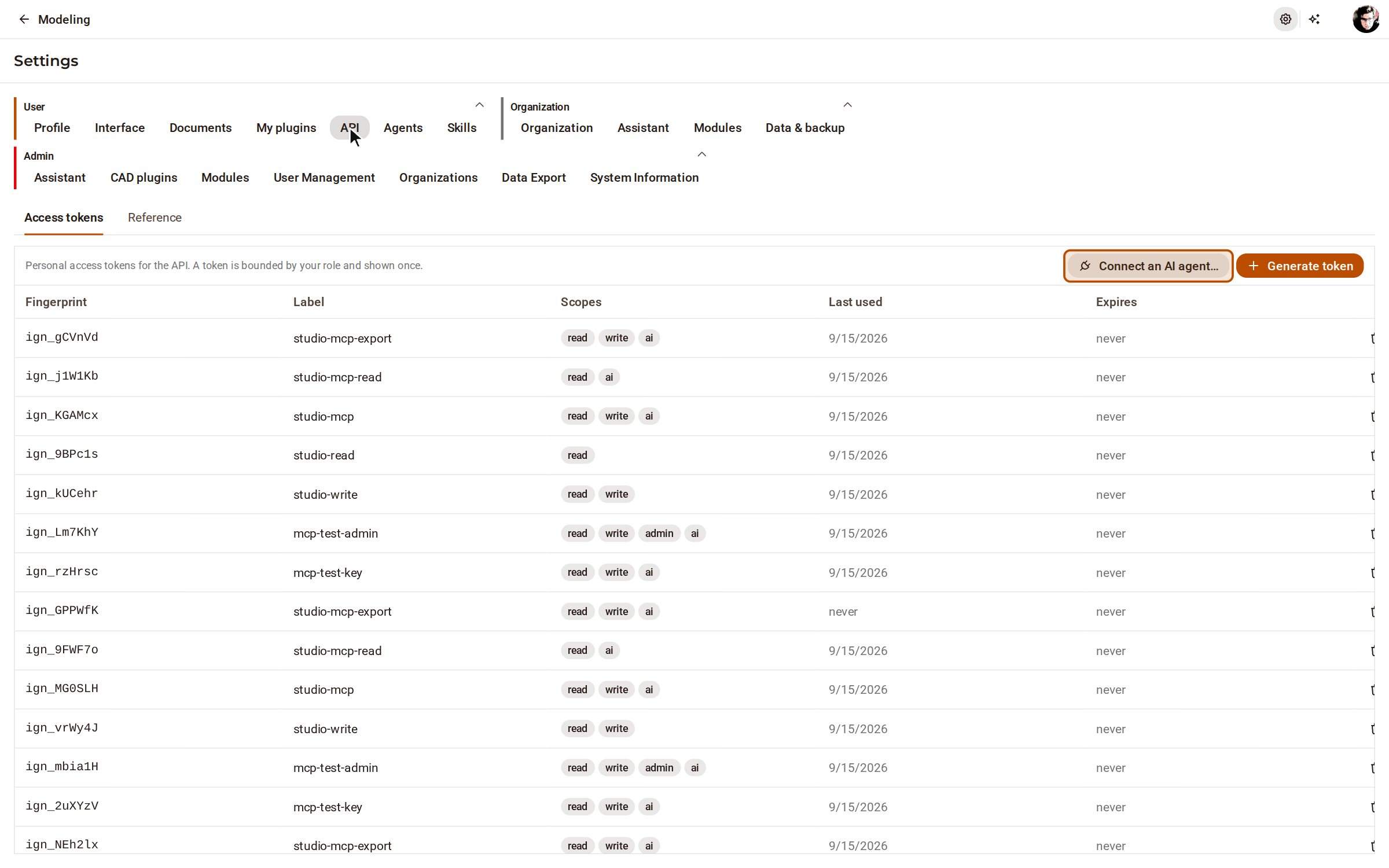
Open Settings with the gear at the top right, and choose API under User. Click Connect an AI agent….
-
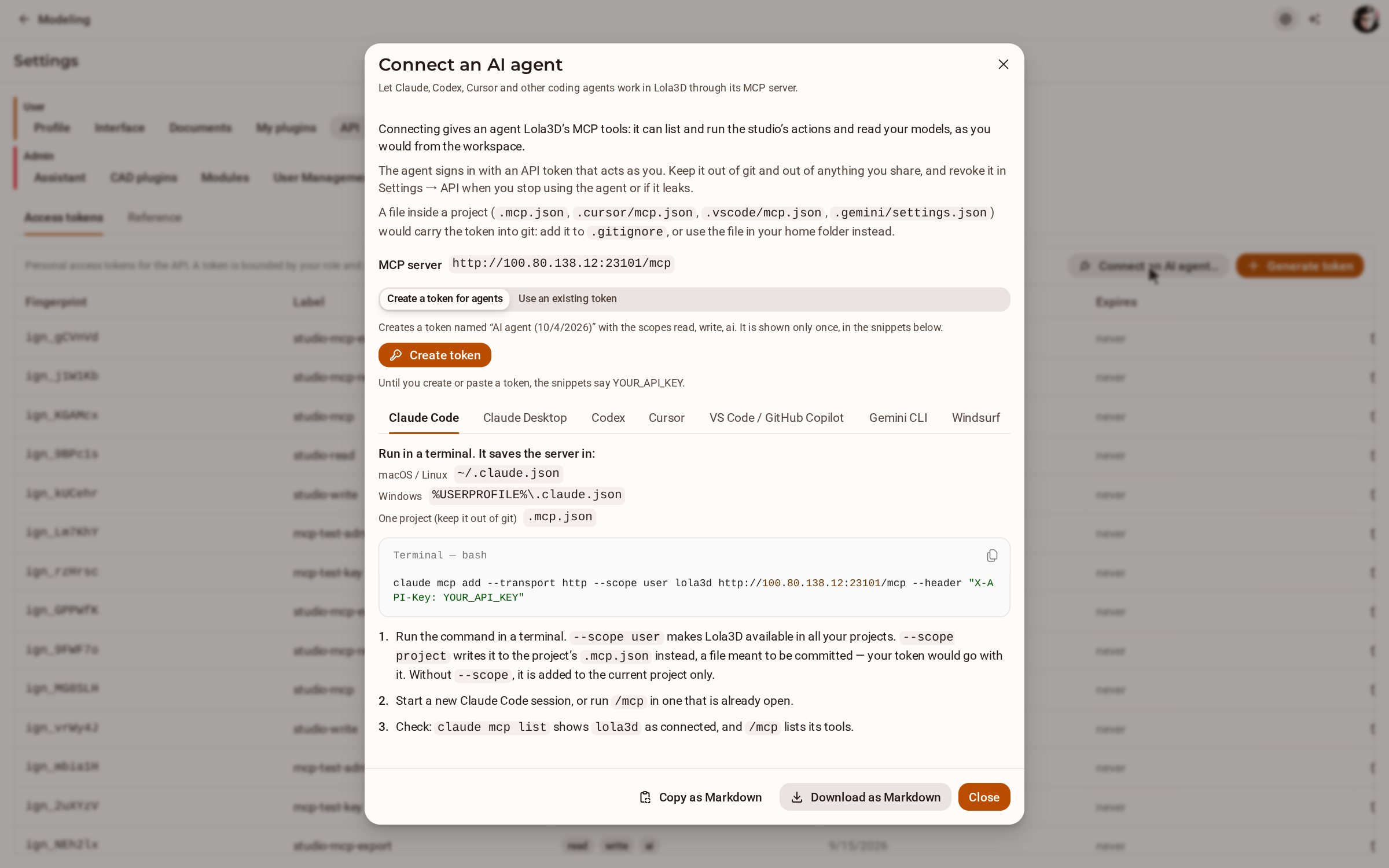
The dialog shows this server's MCP address. Choose Create a token for agents and click Create token — the token is shown only once, written into the snippets below. If you already have a token with the ai scope, choose Use an existing token and paste it instead. The Claude Code tab is open: run its command in a terminal, start a new session, then check that claude mcp list shows kozorosa.
-
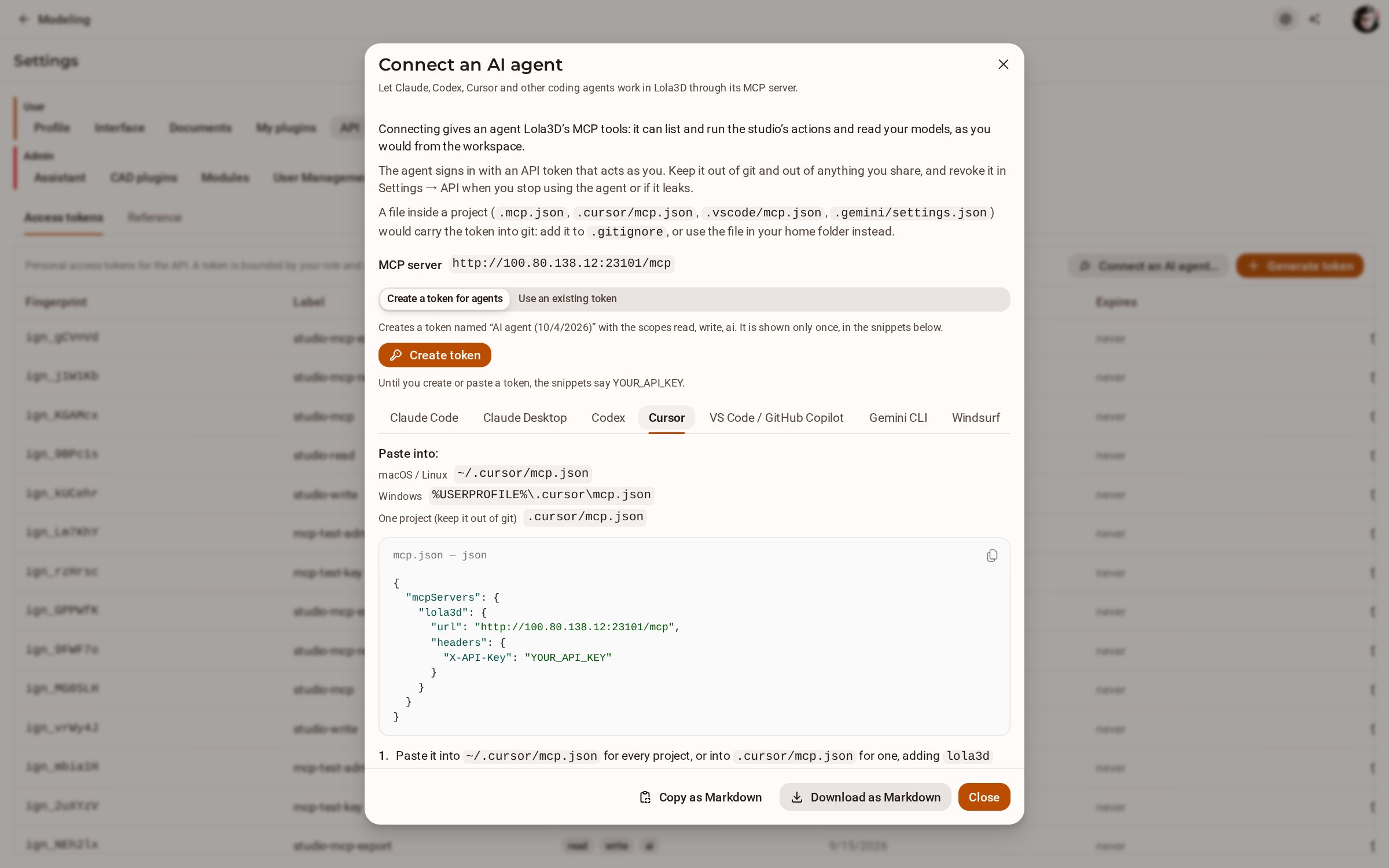
Every other agent has its own tab with the file it reads and what to paste there — Cursor's goes into ~/.cursor/mcp.json. Copy as Markdown or Download as Markdown keeps all of the instructions together.
Good to know
- The token acts as you. Keep it out of git and out of anything you share, and revoke it in Settings → API when you stop using the agent or if it leaks.
- A project file such as .mcp.json or .cursor/mcp.json would carry the token into git: add it to .gitignore, or use the file in your home folder instead.
- Until you create or paste a token, the snippets say YOUR_API_KEY.
Recorded in Kozorosa by the help recorder.