
Help centreModules
Cover a roof and get its quantities
The Roofing module lays tiles, slates, shingles or metal on a timber roof in one click — counter-battens, battens on a gauge that fits whole courses, and the covering itself — then lists the course layout and everything to order.
-
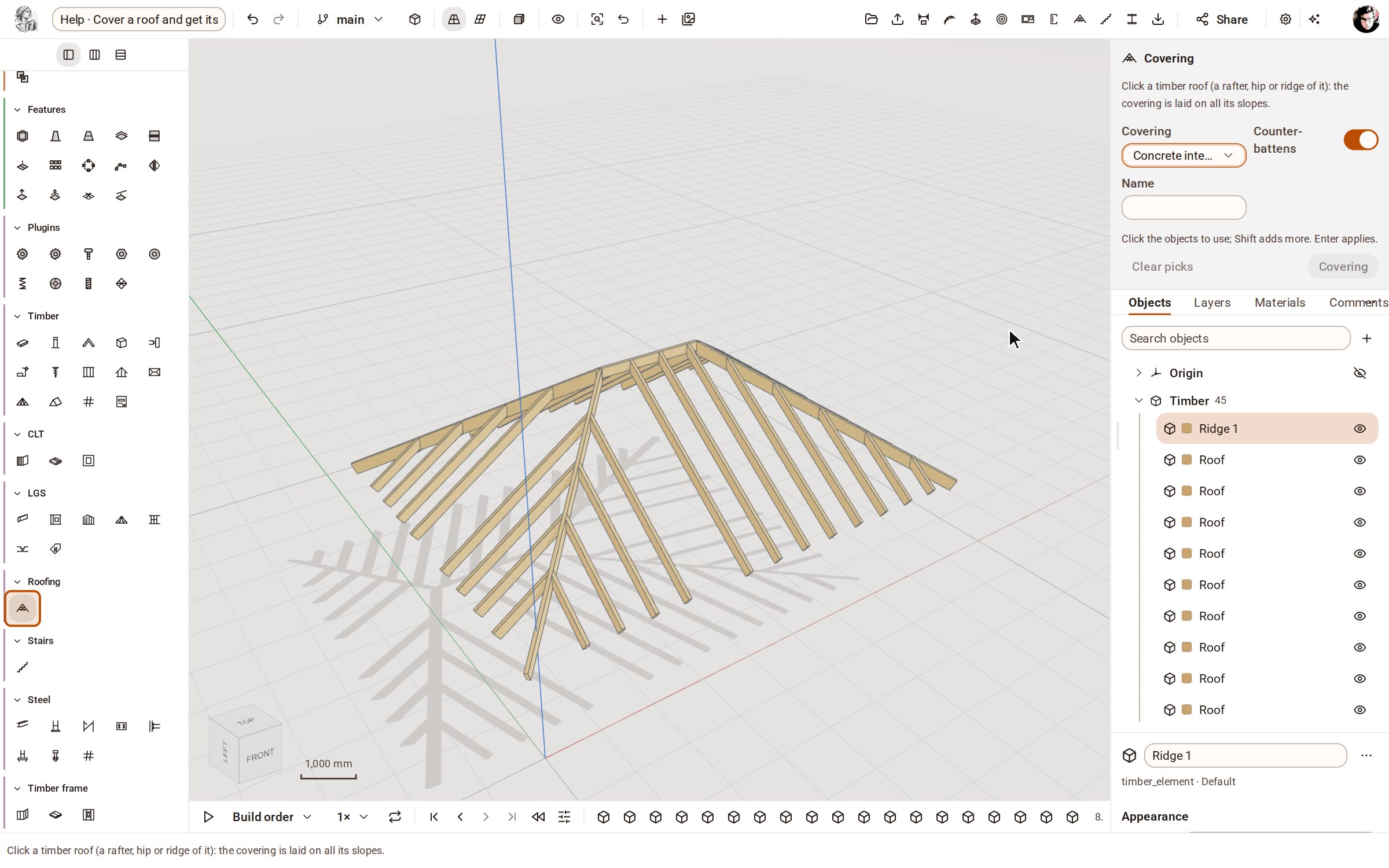
Start from a timber roof — here a hipped roof framed with Roof over a plan. Open the Roofing group on the rail, pick Covering, and choose the covering in the tray.
-
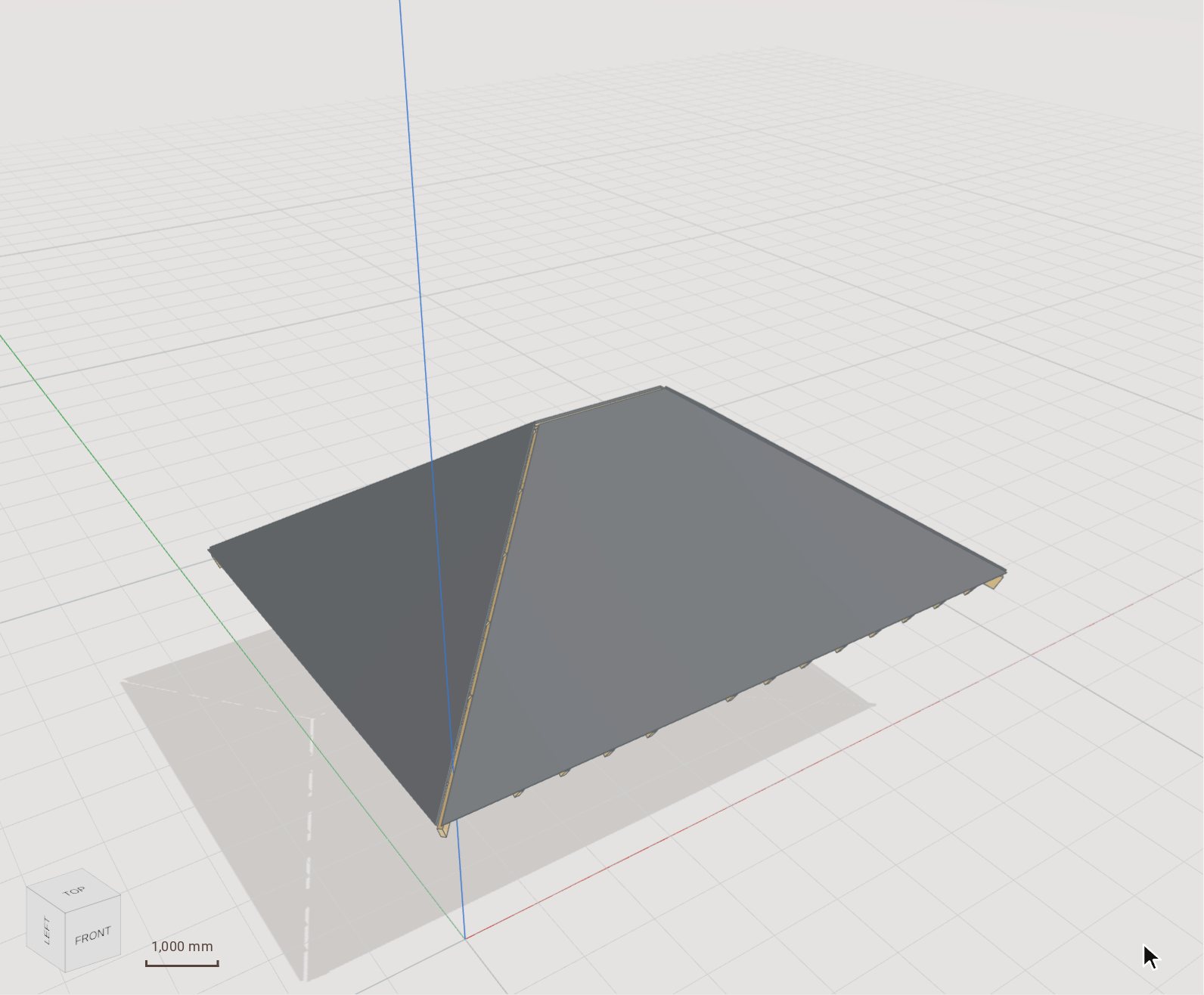
Click any rafter, hip or ridge of the roof — here a rafter — and press Enter. Every slope gets counter-battens, battens on a gauge that fits whole courses, and the tile covering, in one edit.
-
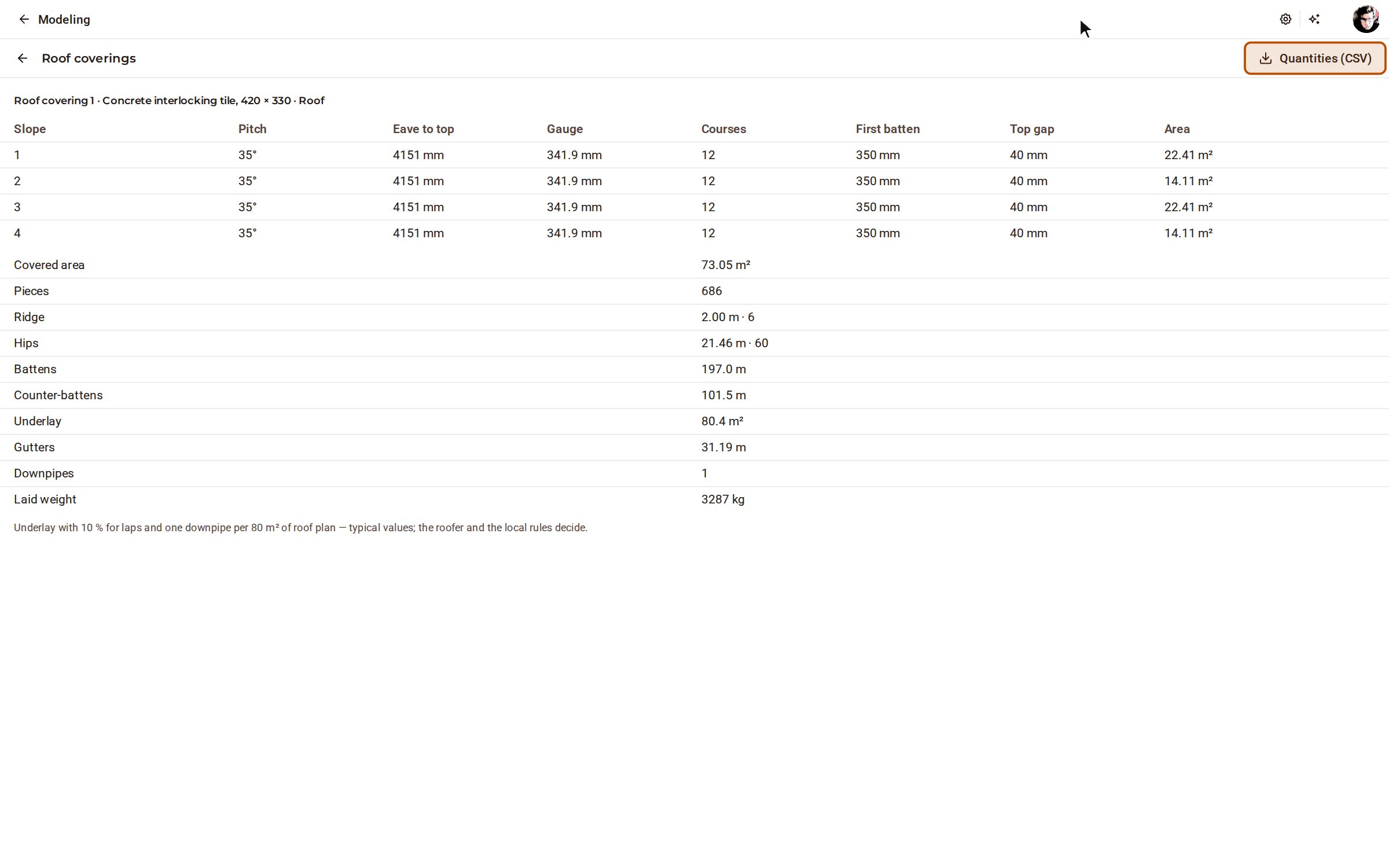
Open Roof coverings on the top bar. Each slope shows its pitch, gauge, number of courses and first batten, and the quantities give the tiles, ridge and hip pieces, battens, underlay, gutters and downpipes to order.
Good to know
- The battens are timber elements, so they appear in the timber cutting list too.
- Quantities (CSV) on the Roof coverings page downloads the order list.
- Underlay is counted with 10 % for laps and one downpipe per 80 m² of roof plan — typical values; the roofer and the local rules decide.
Recorded in Kozorosa by the help recorder, which checked that the result is in the model.