
Help centreModules
Join timber members and get the cutting list
The Joint tool cuts a carpenter's joint — tenon and mortise, dovetail, half lap, birdsmouth and more — into two timber members in one edit, and the cutting list and BTLx file carry every cut to the saw and the joinery machine.
-
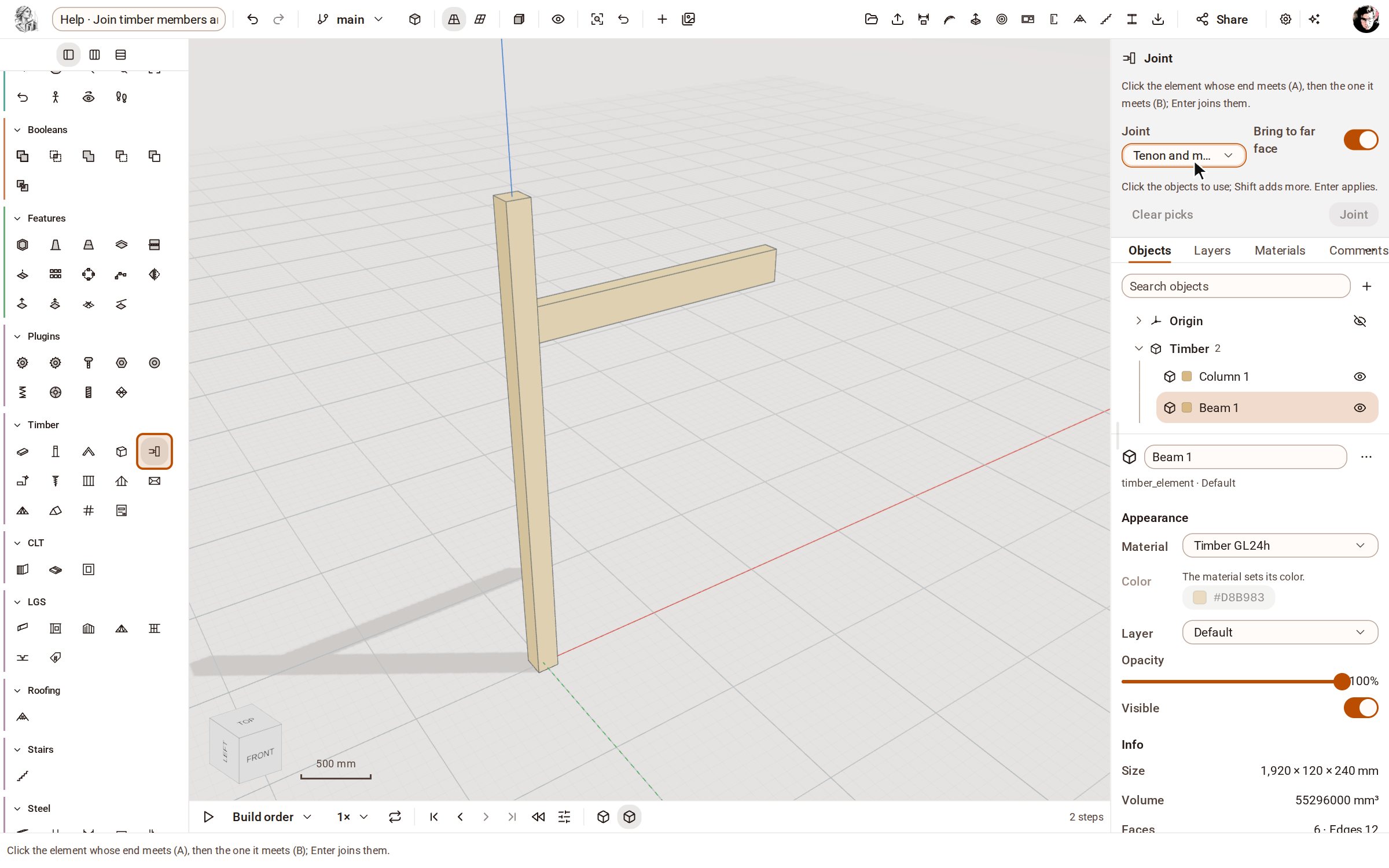
Start from the two members to join — here a glulam post and a beam that ends against it. Open the Timber group on the rail, pick Joint, and choose Tenon and mortise in the tray's Joint list.
-
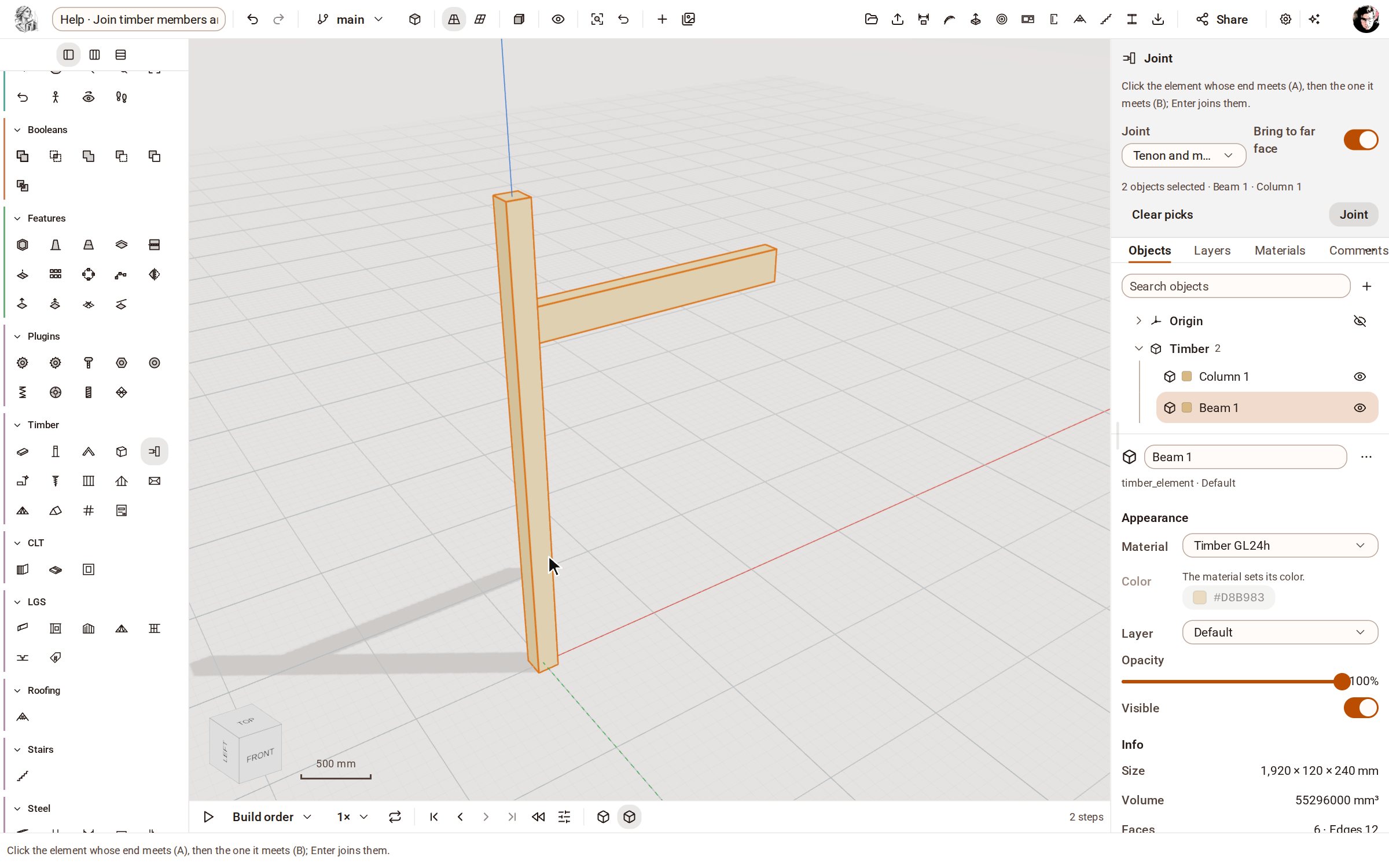
Click the member whose end meets the other (A, the beam), then the one it meets (B, the post).
-
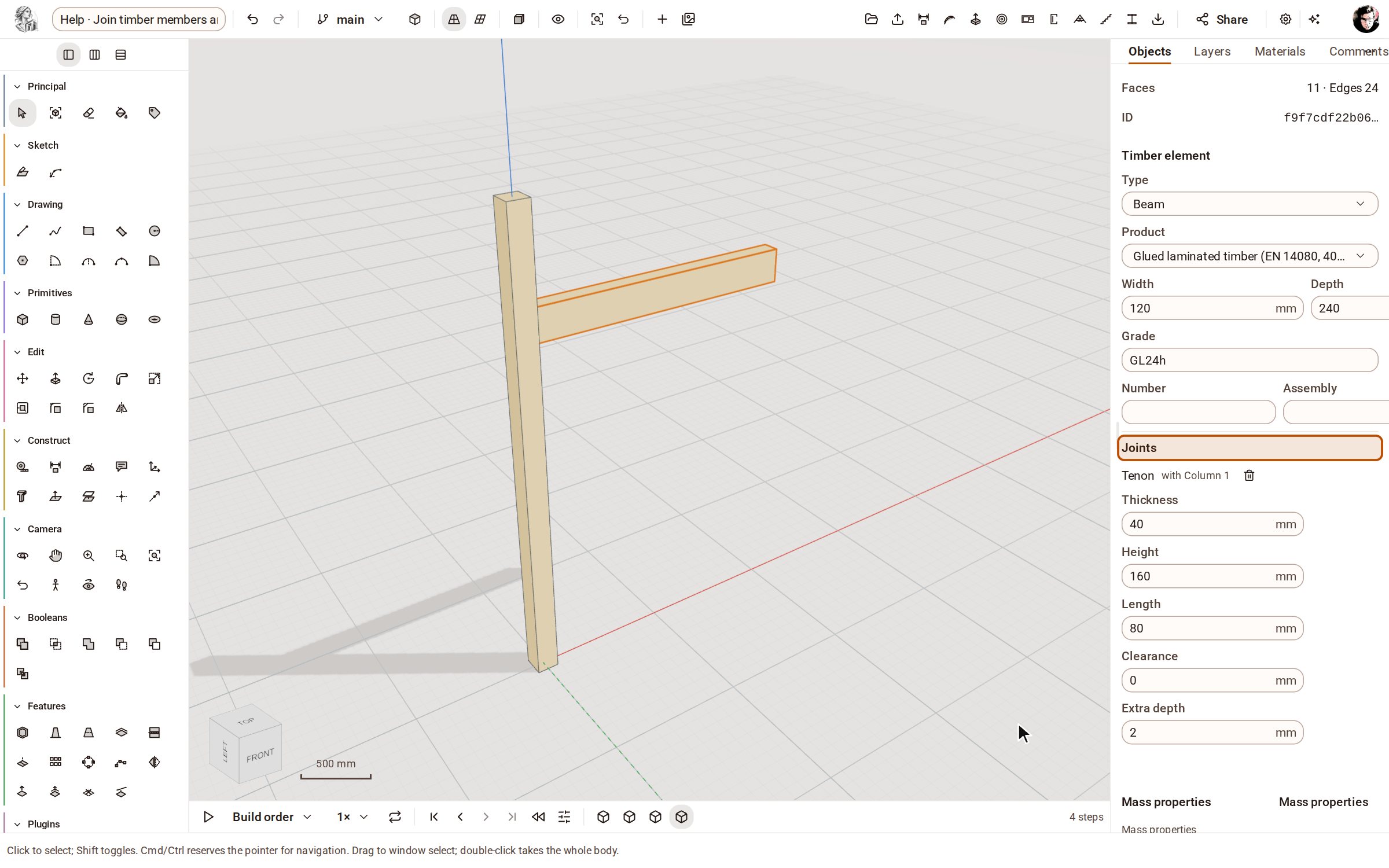
Press Enter. The beam is run through to the post's far face and gets a tenon, and the post a mortise to take it — one step in the timeline. Double-click the beam to select it: Entity Info lists its joints and their sizes, each editable.
-
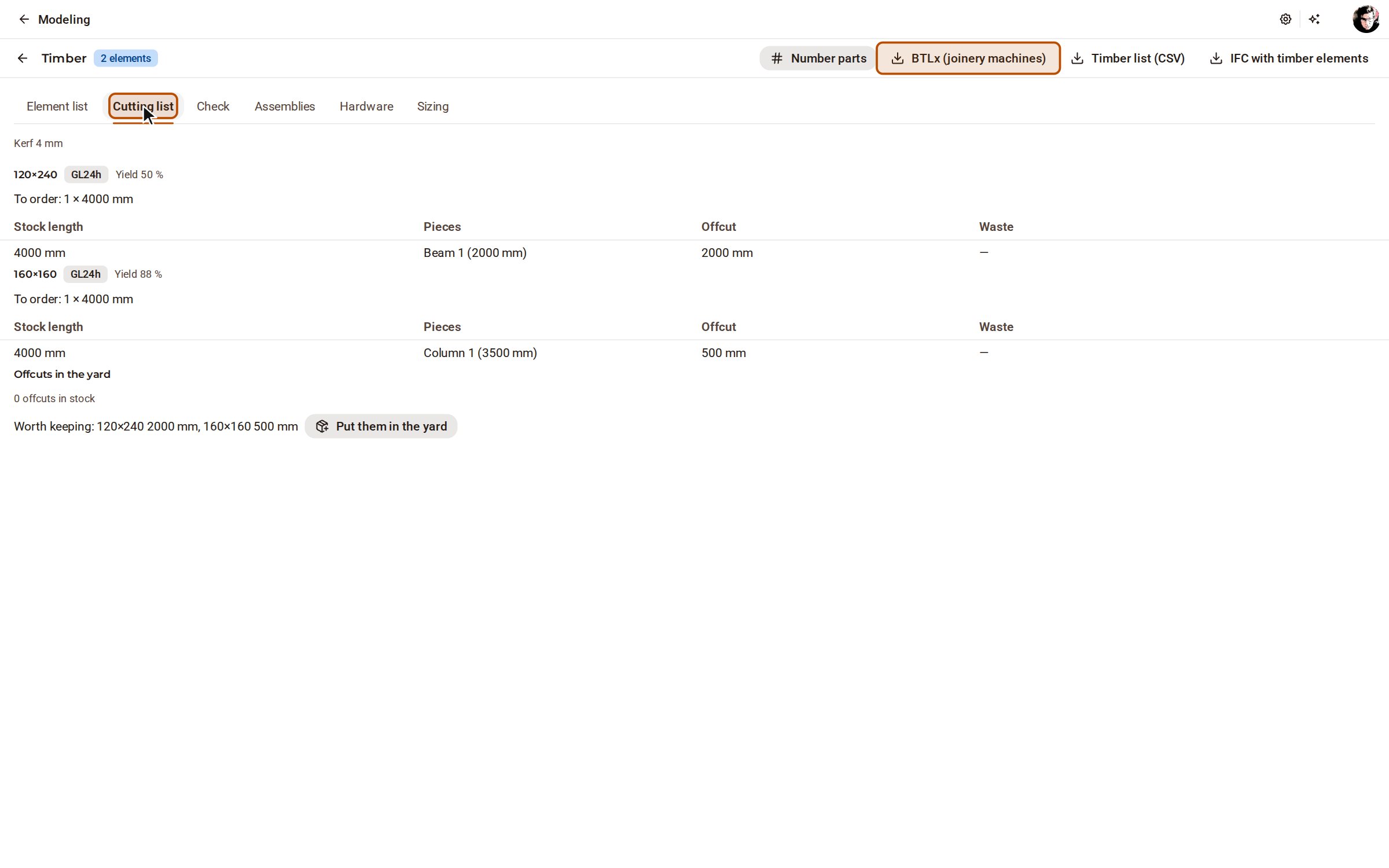
Open Timber lists on the top bar and its Cutting list tab: the stock lengths to order and how each piece is cut from them. BTLx (joinery machines) exports every element with its processings for the CNC.
Good to know
- Join all, in the same group, joins every pair of touching elements by rule: studs butted, rafters birdsmouthed, crossings lapped.
- Bring to far face, in the tray, runs A's end through to B's far face before the joint is cut; clear it to keep A as drawn.
- The Check tab of Timber lists finds timber that collides with no joint between, and joints that no longer cut anything.
Recorded in Kozorosa by the help recorder, which checked that the result is in the model.