
Help centreModules
Connect steel members in one edit
The Steel module's Connection tool joins two members with everything the joint needs — plate, end cut, bolts with their holes and the weld — in a single edit you can undo, change or remove as one.
-
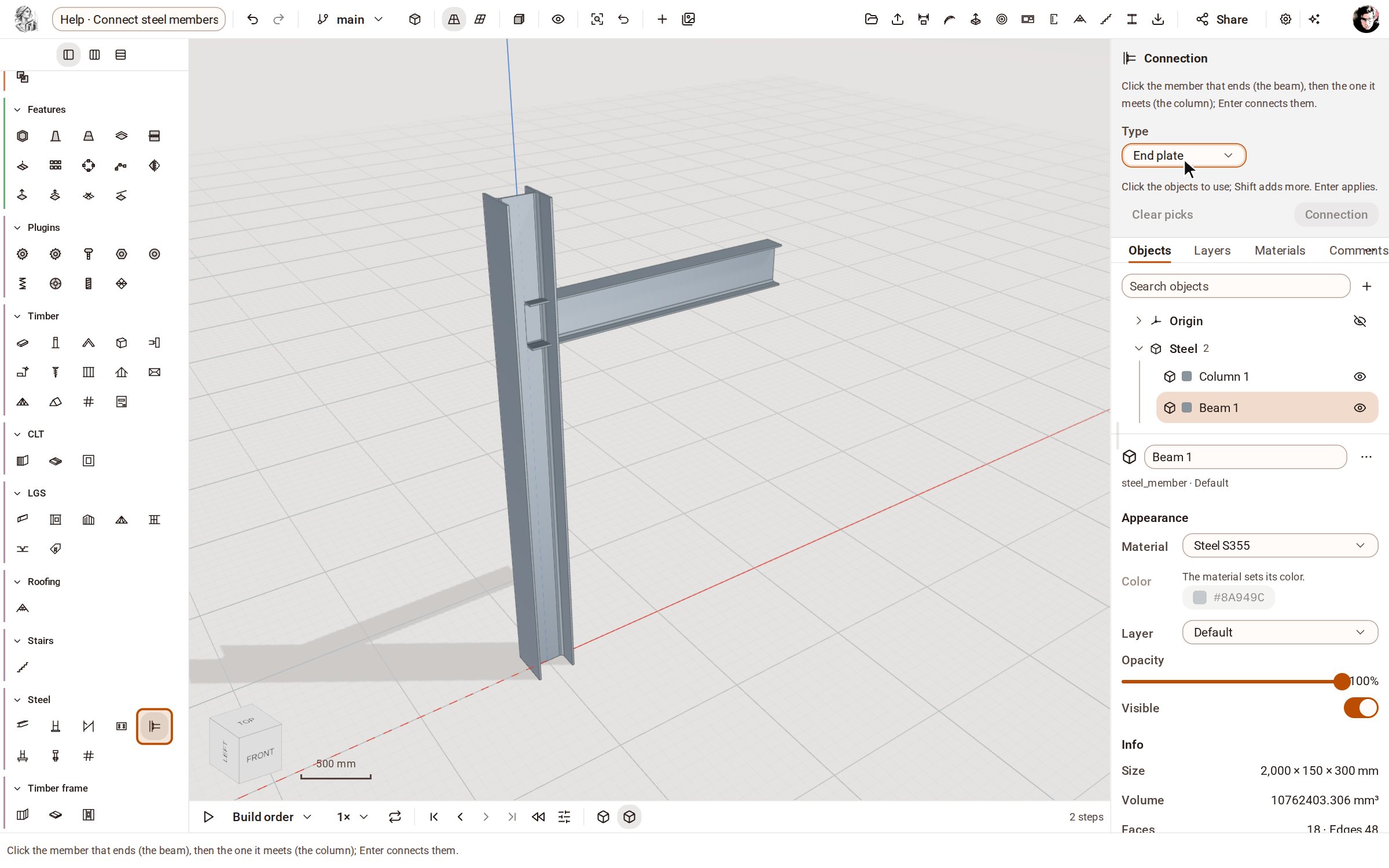
Start from the members to connect — here an HEA 300 column and an IPE 300 beam, drawn with the Column and Beam tools of the Steel group. Open the Steel group on the rail, pick Connection, and choose End plate in the tray's Type list.
-
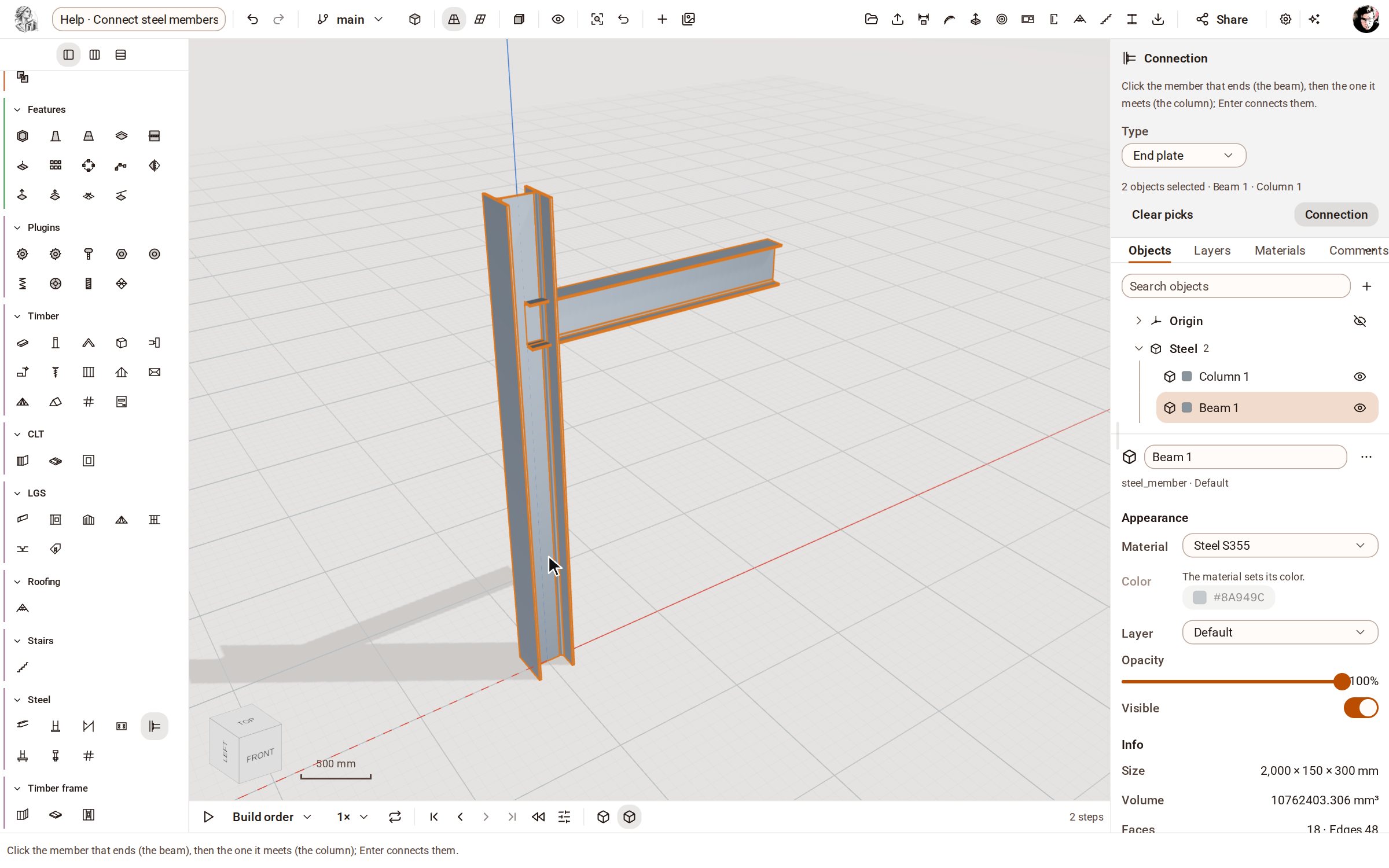
Click the member that ends — the beam — then the one it meets, the column. The tray lists both picks in that order.
-
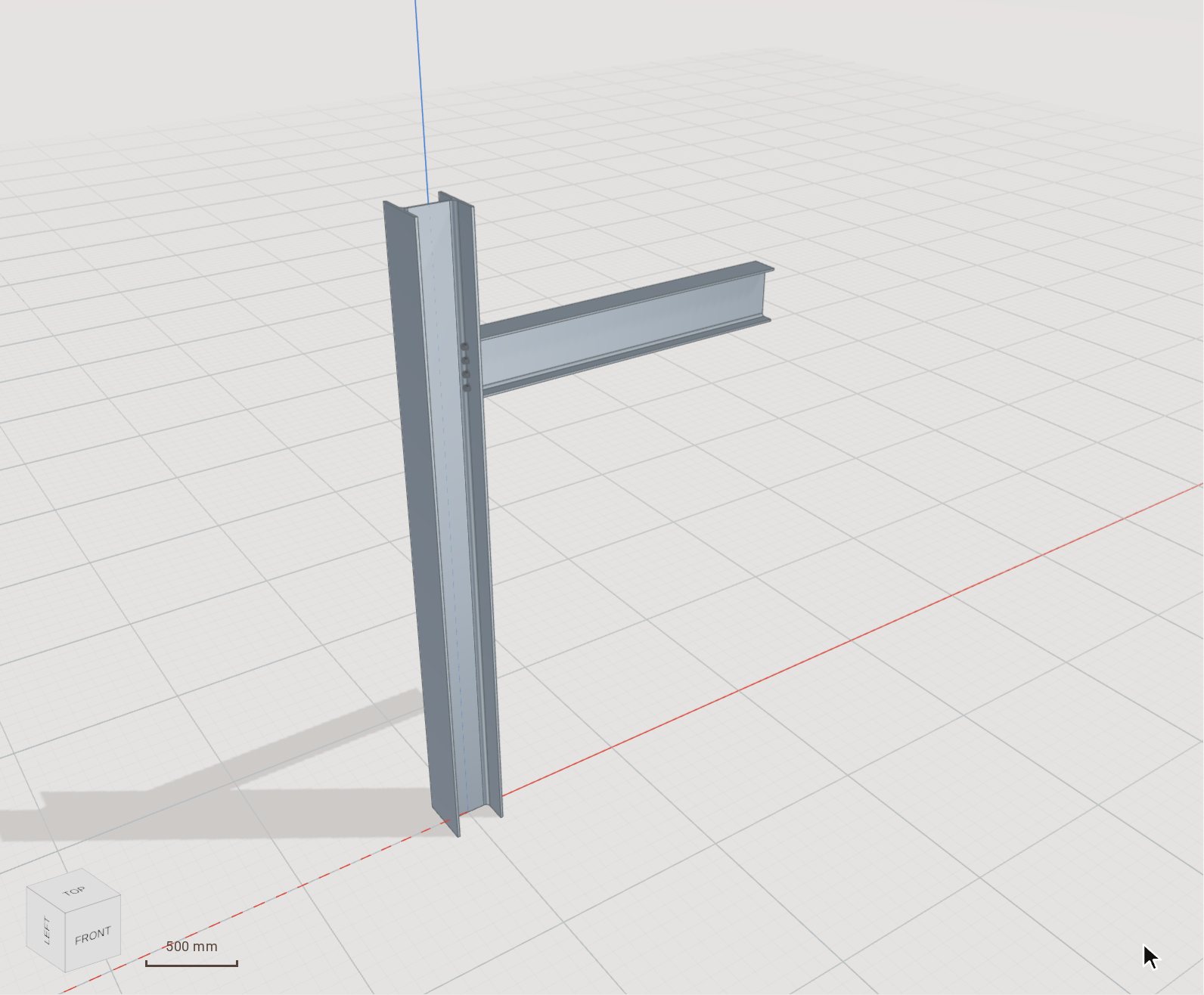
Press Enter. The end plate is welded to the beam, the beam is cut back to it, and bolts go through the plate and the column flange with their holes drilled — all of it one step in the timeline.
-
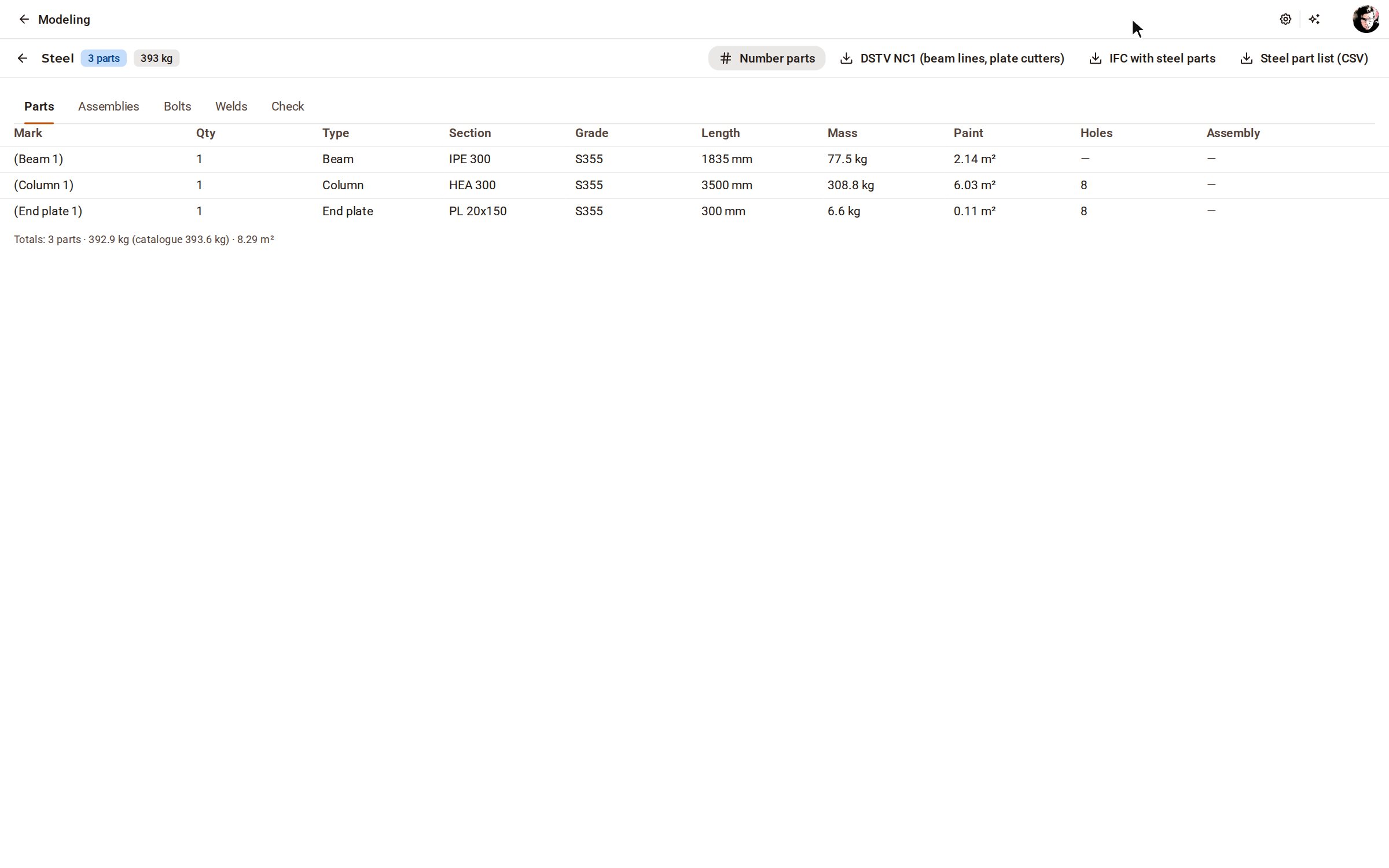
Open Steel lists on the top bar to see the parts with their sections, lengths and masses; the Bolts and Welds tabs list what the connection added, and Check looks for clashes and bolt distances.
Good to know
- Connection's Type list offers End plate, Fin plate, Angle cleats, Splice, Haunch, Cap plate and Stiffeners. Sizes you do not give get a fabricator's default, stored with the connection.
- Select a member later and Entity Info shows the connection's form: change a size there and the connection is rebuilt in place, or press Remove connection.
- Base plate on the rail works on one member: click the column, then press Enter. Its Type list also makes a cap plate or stiffeners.
Recorded in Kozorosa by the help recorder, which checked that the result is in the model.